iPhone and iPad app
IPTV player for iPhone and iPad
Tuvora for iOS and iPadOS provides the same playlist formats and shared account model in an interface designed for Apple's mobile devices.
- Installation
- Public TestFlight
- Playlist inputs
- M3U, Xtream Codes, Stalker
- Price
- Free
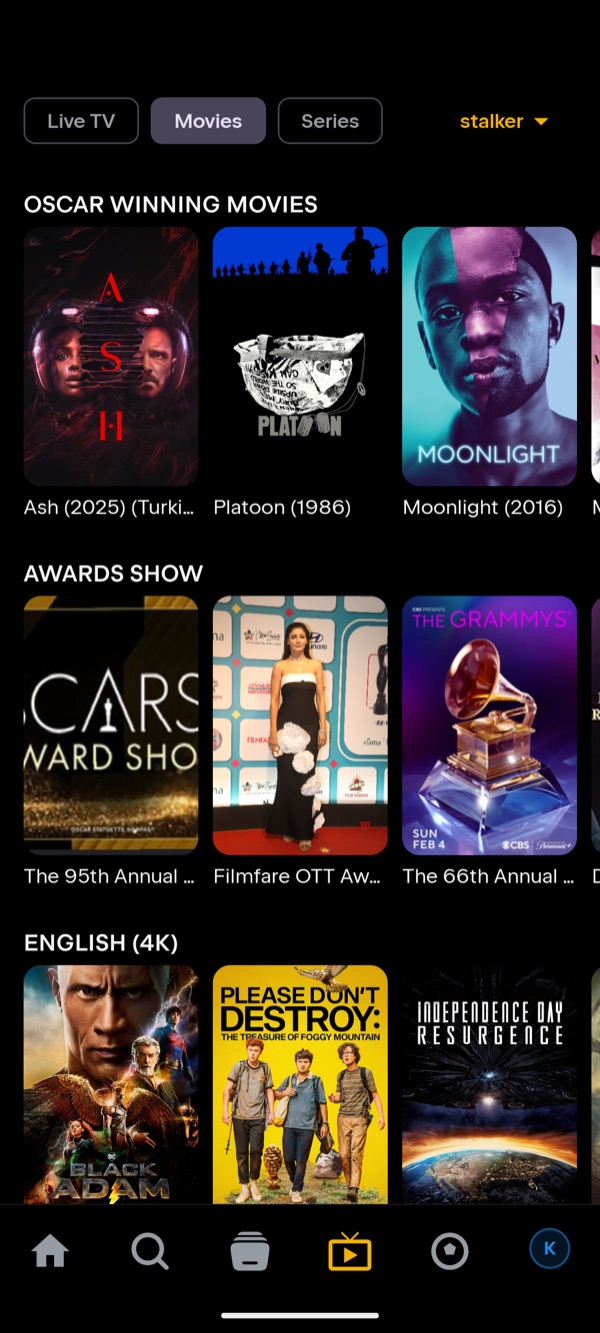
Why use Tuvora on iPhone and iPad?
- M3U, Xtream Codes and Stalker sources
- Live TV, movie and series sections with guide and metadata views
- Profiles and optional sync with Android, TV and desktop clients
- A detailed screenshot guide covering the current TestFlight build
Install Tuvora on iPhone and iPad
- Install TestFlight from the App Store, then open the Tuvora TestFlight link and accept.
- Open Tuvora, go to the IPTV tab and tap Add IPTV provider.
- Choose the Source Type — M3U, Xtream Codes or Stalker — enter the details and press Add Playlist.
Every playlist type, on iPhone and iPad
The same build takes all three IPTV login formats. Each has its own page if you want the detail:
M3U player for iPhone and iPad →Xtream Codes player for iPhone and iPad →Stalker player for iPhone and iPad →
Not sure which you were given? Compare M3U, Xtream Codes and Stalker.
Current distribution note
The iOS release is distributed through TestFlight rather than the public App Store, so Apple may periodically require a refreshed testing build.
The current setup guide shows the real installation and playlist screens step by step.
Bring your own playlist
Tuvora is a player. It does not provide, sell or host channels, films, series or IPTV subscriptions.